
Your Zorh workout.On your Garmin.
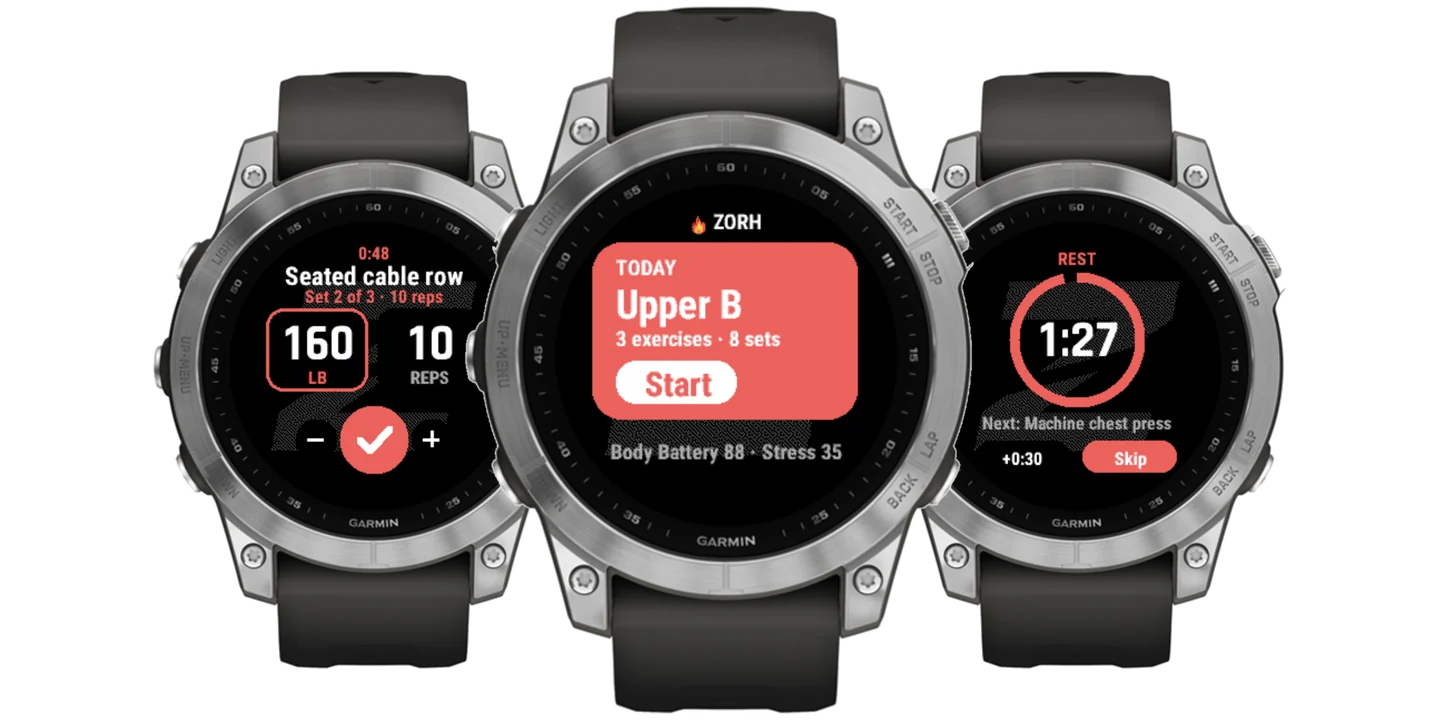
Leave your phone in your bag. Today's plan is on your wrist: every lift with your weight and reps, tap to log the set, and the rest timer starts itself. Cardio days get GPS. When you finish, it saves to Garmin Connect and to Zorh.
Get Zorh on your iPhone, then link your watch in the app: Settings › Workouts › Garmin watch. Zorh for Garmin comes with PRO.
Built for the gym floor.
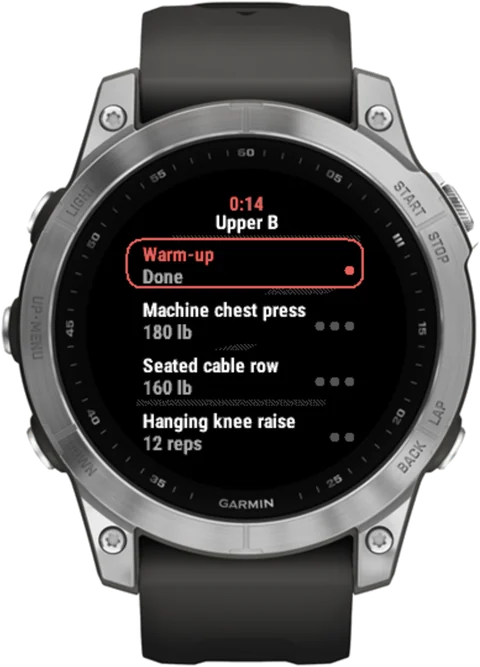
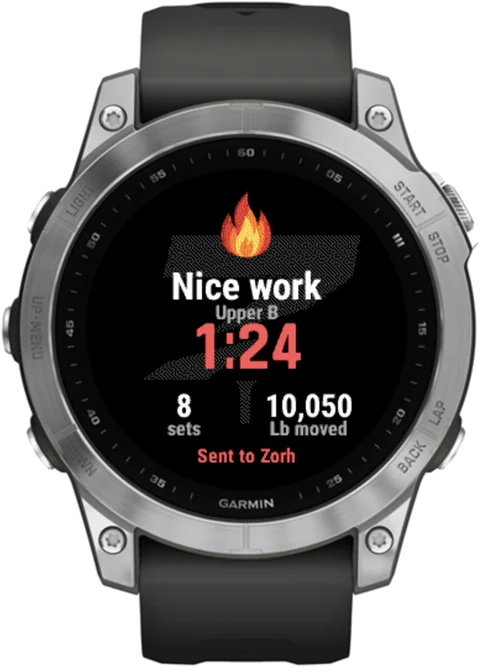
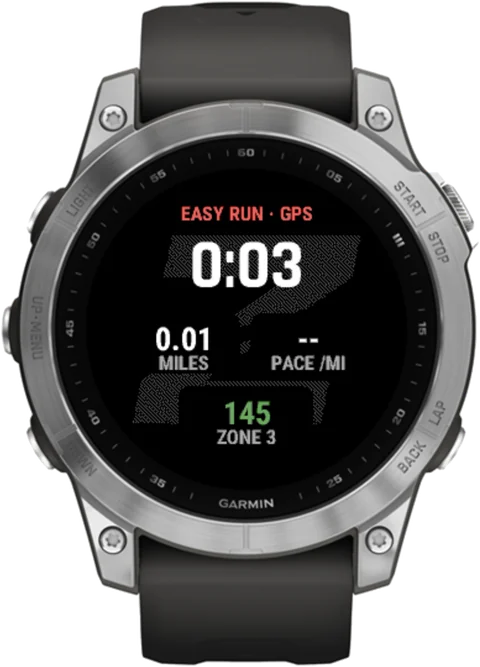
Everything you need mid-set.
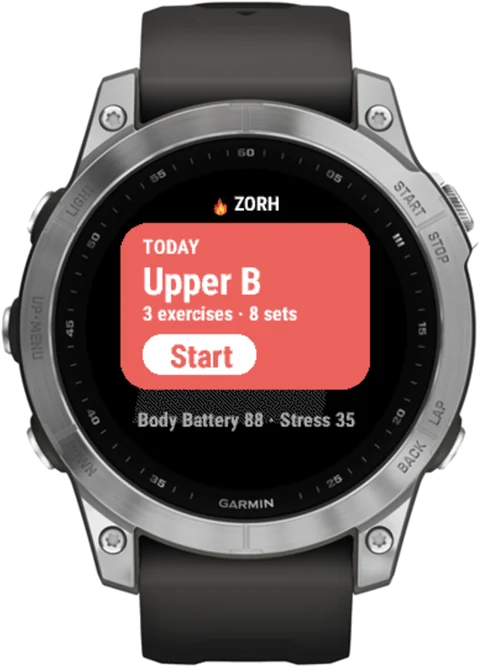
- Your real Zorh plan: warm-up, every lift, cardio and the finish
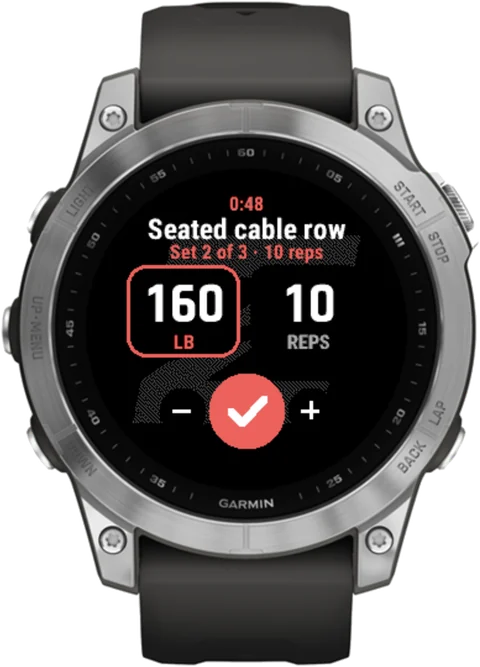
- Weight and reps filled in from Zorh's suggestion. Adjust with - and +, tap the check to log
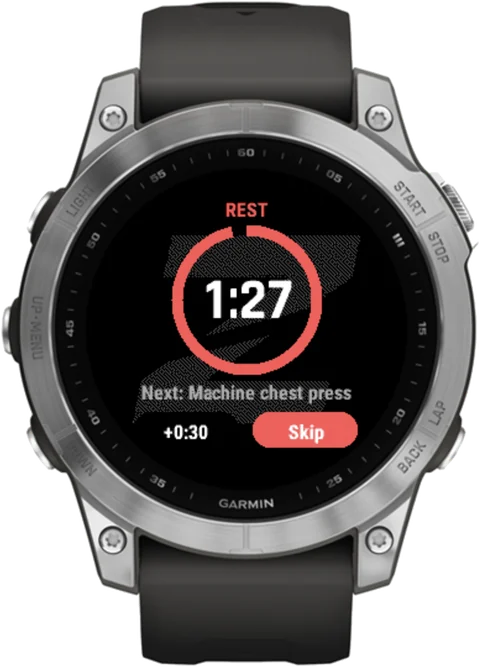
- A rest timer that buzzes, with +0:30 and Skip
- Run, walk or bike with GPS: time, miles and pace
- Heart rate on screen, colored by your watch's own heart-rate zones
- Body Battery and stress on the home screen. Low Body Battery? It tells you to go easy
- A glance: scroll from your watch face to see today's workout
- Saves to Garmin Connect as a strength workout, one lap per set with your weight and reps
- No signal? Today's workout is saved on the watch, and your sets send later
- Every set lands in Zorh, so your progress and next-weight suggestions stay right
- English and Spanish
Works on
fēnix 7 series (7, 7S, 7X and Pro), epix (Gen 2) and epix Pro, Forerunner 255, 265, 955 and 965, Venu 2, Venu 2 Plus, Venu 3, and vívoactive 4 and 5.
Needs Zorh Pro and the Zorh iPhone app. Zorh is on iPhone for now.
Three steps. About a minute.
Garmin, Connect IQ, fēnix, epix, Forerunner, Venu and vívoactive are trademarks of Garmin Ltd. or its subsidiaries. Zorh is not made by or affiliated with Garmin.
Stop starting over.
Start showing up.
Free on the App Store. Try Zorh Pro free for 30 days.